Clutch Gift Cards Overview
When a purchase is made for a Gift Card on the website or at a retail store, the transaction is recorded on the Clutch Portal.
Log in with Username and Password
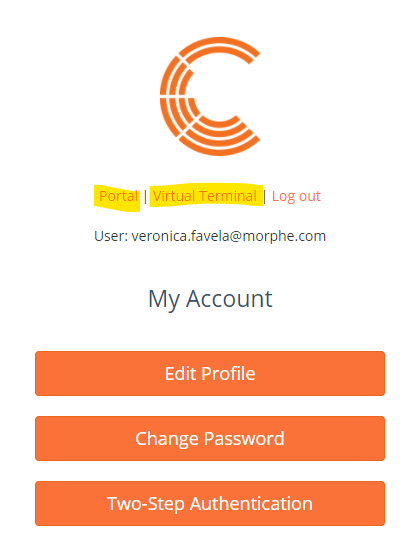
Select the page you want to view Portal or Virtual Terminal
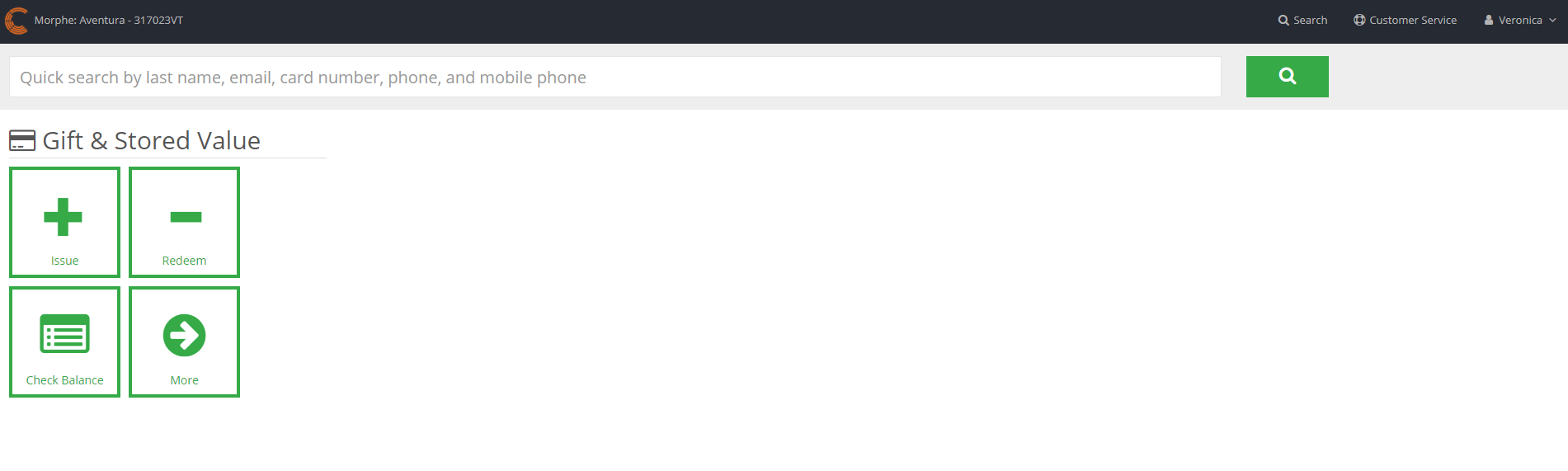
Virtual Terminal
The Virtual Terminal can help you search a card in the system using the customer’s last name, email address or full card number.
Clutch Portal
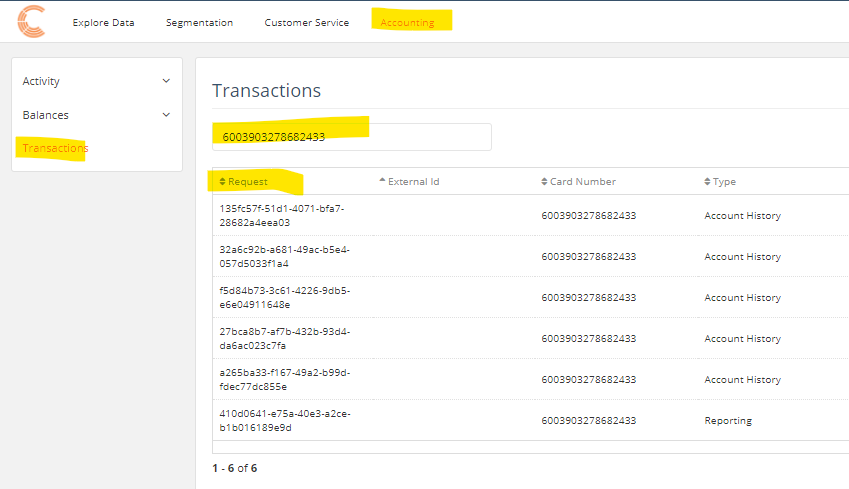
You can use the Portal section to locate transactions. For this section, use the Customer Service and Accounting tabs at the top of the page.
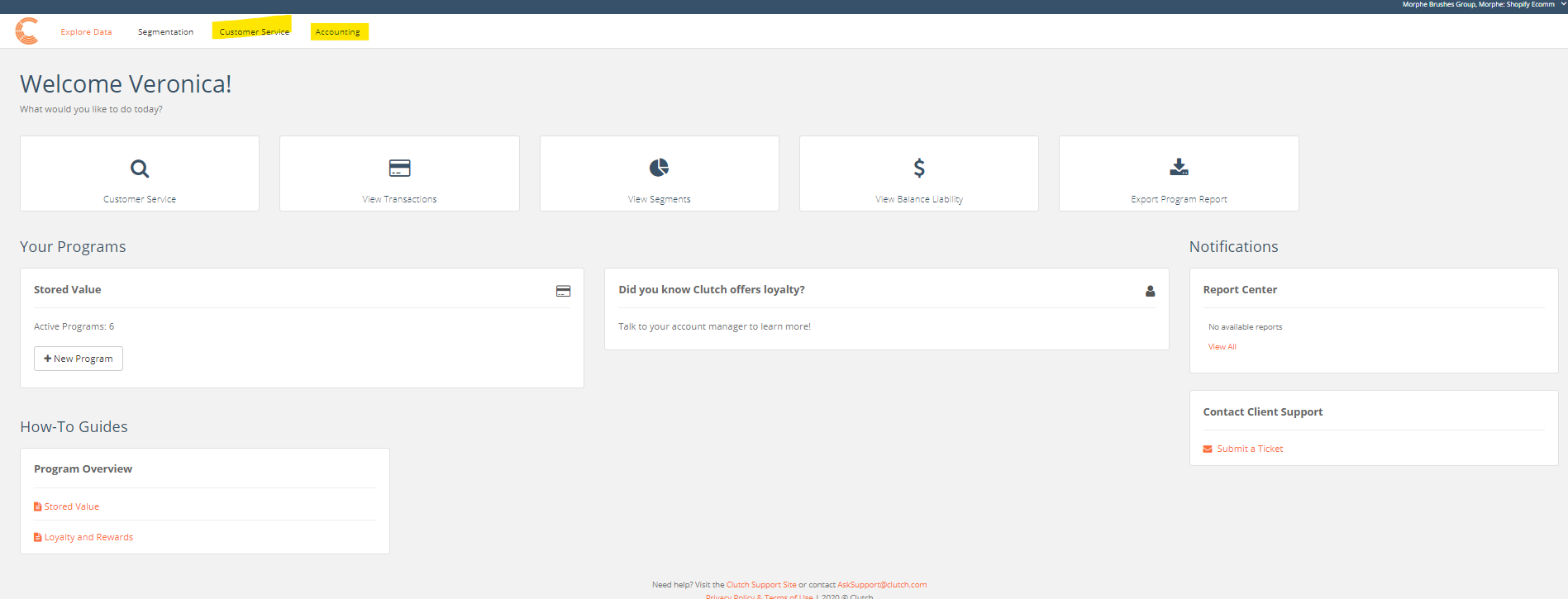
The Customer Service tab will allow you to do the following:
- Card Search
- Transaction Search
- Fraud Review
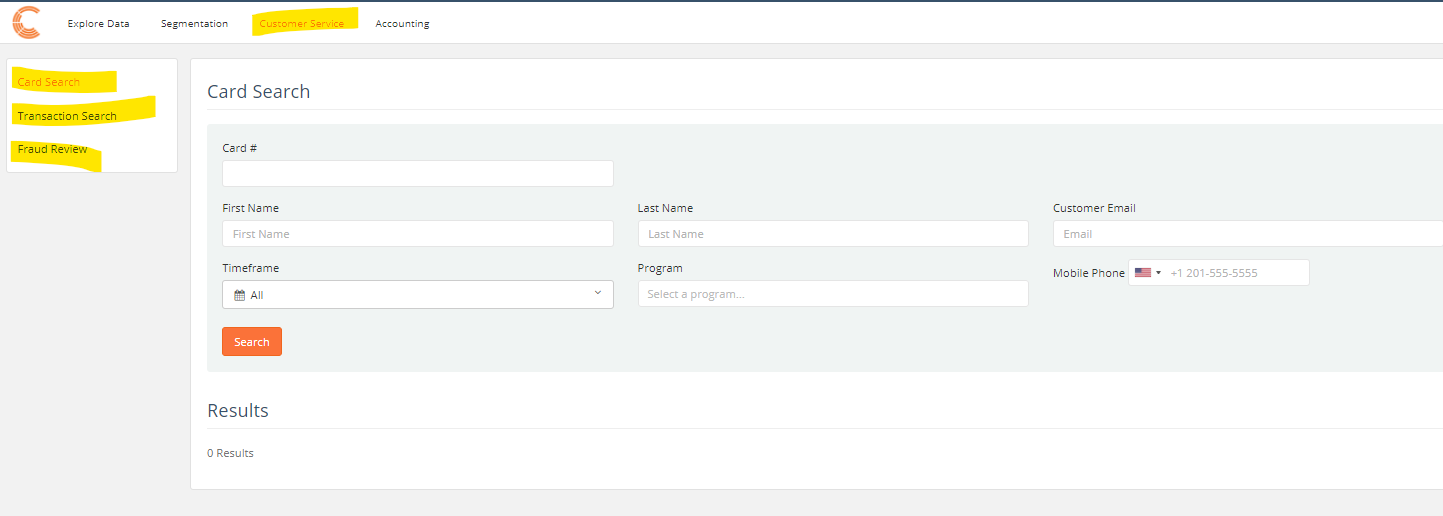
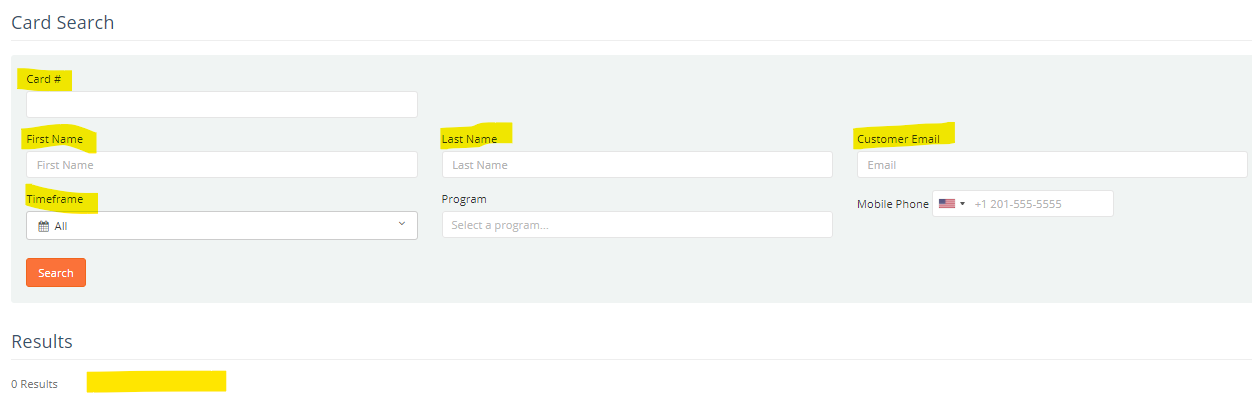
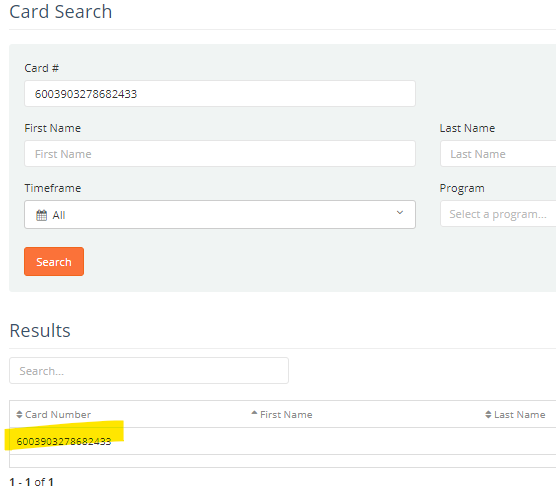
Using the Card Search
Enter the full card number, first and last name, or customer email to locate a transaction.
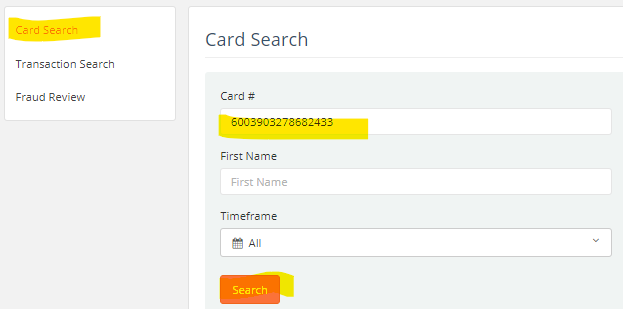
To view the card activity details, click on the card number
You can confirm when the card was activated and at which location under Overview.
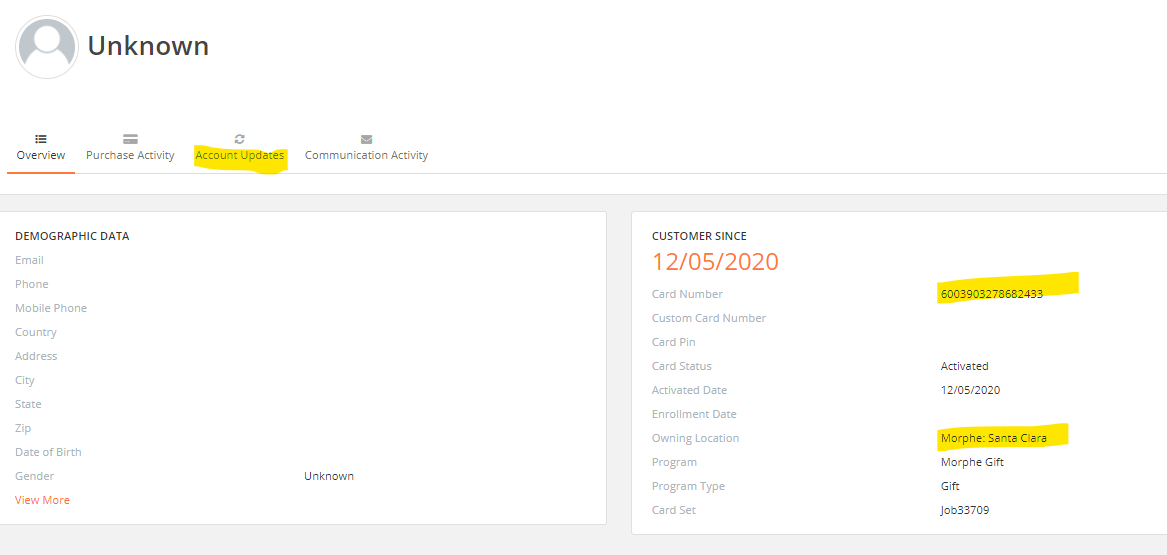
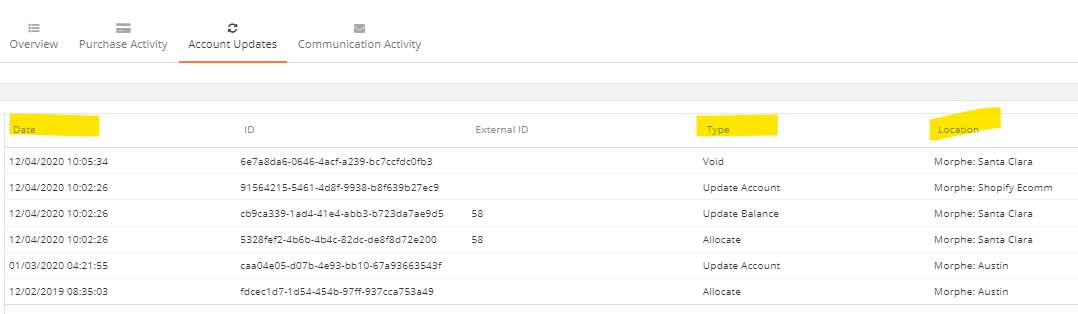
To view the list of account updates, select the Account Updates tab
Transaction Search
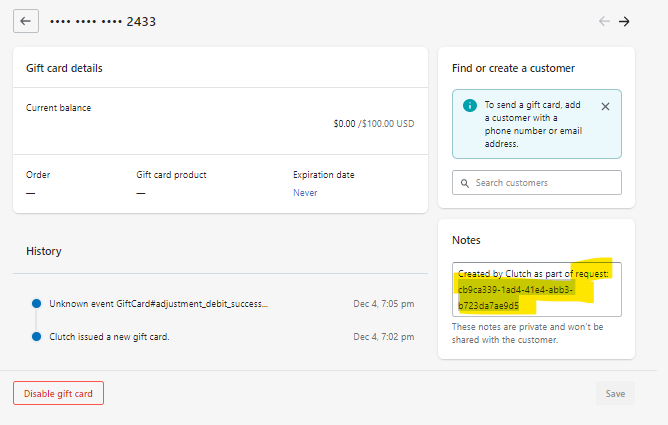
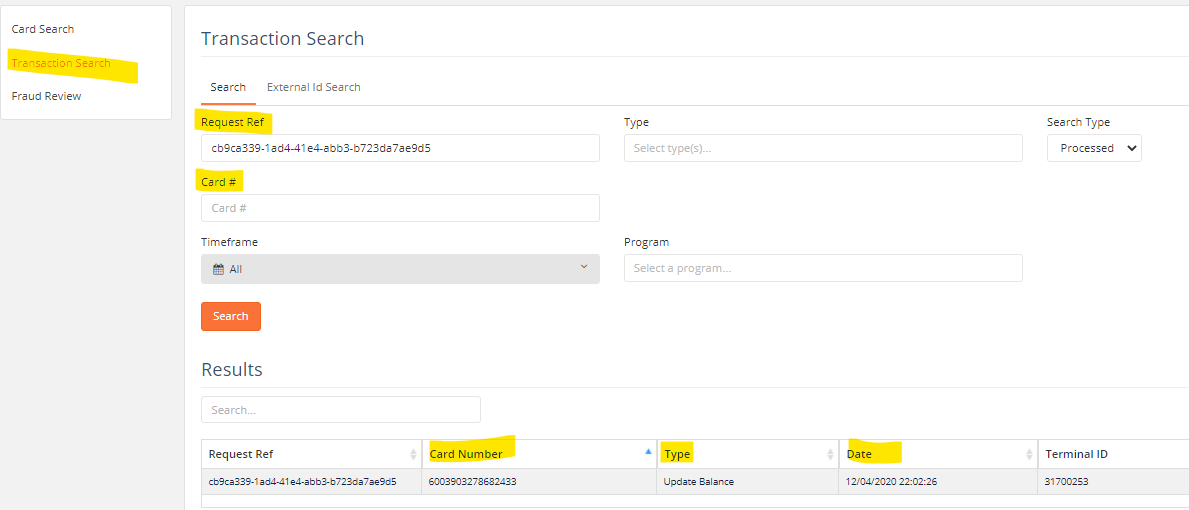
You can use Transaction Search to locate a gift card. Find the Request Number under the Notes section of the Gift Card in Shopify and use the Request Ref section to locate the card. The card details will load below.
Fraud Review
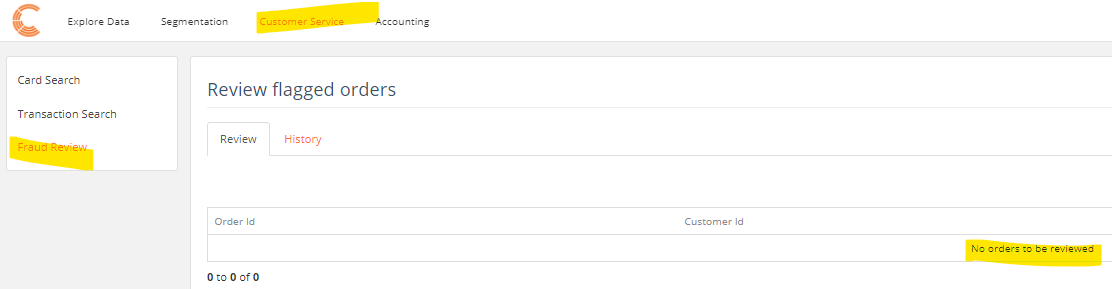
Any orders that have been flagged as high risk of fraud in the Clutch Portal will be in this section. This section allows you to cancel or release an order from a Fraud Status.
The Accounting Tab will allow you to view the following:
ActivityBalances- Transactions- for this section, you will be working with Transactions only. This section holds all Gift Card Transactions, including the request number, the full gift card number, and date issued. You can use this section to find the full gift card number If you are unable to locate it under Shopify for any reason.